Roblox Card (AU) 구매|안전하고 빠른 충전|즉시 전달 - 60yr

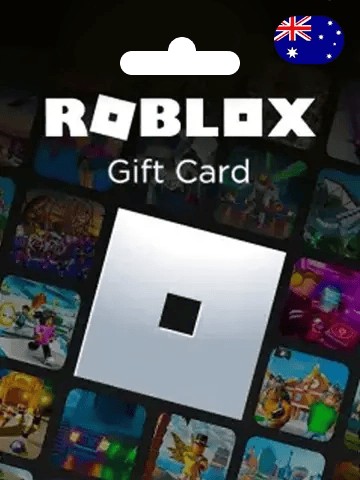
Roblox Card (AU)

다음에서만 사용 가능 호주

Roblox Card (AU)

다음에서만 사용 가능 호주
Note: Roblox Gift Cards Sold by 60yr.com is Region/Currency Locked. ONLY for Roblox Account Registered in the Australia and it is Non-Returnable and Non-Refundable. This product grants Robux and cannot be used for a Roblox Premium purchase.
1
명칭
명칭
  • 10 AUD Robux Key
    $
    7.8
  • 15 AUD Robux Key
    $
    11.8
  • 20 AUD Robux Key
    $
    15.8
  • 25 AUD Robux Key
    $
    19.6
  • 30 AUD Robux Key
    $
    23.5
  • 40 AUD Robux Key
    $
    31.4
  • 50 AUD Robux Key
    $
    39.6
  • 100 AUD Robux Key
    $
    78.4
  • 150 AUD Robux Key
    $
    117.6
  • 200 AUD Robux Key
    $
    156.8

가이드

【About Roblox Gift Card (AUD)】

Roblox Gift Card is one of the most popular items among the Roblox players. Ever since Roblox introduced gift card players have been giving their all to get their hands on these cards. Robux being the virtual currency of Roblox, players can use it as a digital currency to buy in-game items like clothing, accessories, and virtual objects.


Important Note: Roblox Gift Cards Sold by 60yr.com is Region/Currency Locked. ONLY for Roblox Account Registered in the Australia and it is Non-Returnable and Non-Refundable. This product grants Robux and cannot be used for a Roblox Premium purchase.


【How to redeem Roblox Gift Card?】

  1. Go to roblox.com/redeem from your browser.
  2. Log in or create an account.
  3. Find your PIN / Code on the order list of 60yr.com.
  4. Enter the PIN / Code in the white box on the redeem website.
  5. Click the Redeem button.
  6. A success message will appear when you successfully add the Robux to your account.


【How to Find your Robux balance?】

Robux Balance can be accessed via the Roblox Mobile App. Follow the steps below to check your Robux balance :

  1. Log in to the account from which the Robux were purchased.
  2. Tap the Robux icon at the top of the app.
  3. Your Robux balance is shown at the top.
  4. On a PC, your Robux Balance is displayed in the upper right corner of the browser window.

FAQ

리뷰

4.6
124 평가
  • dfg****@gmail.com
    2026/07/10
    The balance code was delivered fast and worked perfectly on the official app. Grabbed it just in time for grabbing the seasonal sale deal. Payment felt secure the whole way. Solid service, just took a couple extra minutes than expected.
  • cme****@hotmail.com
    2026/05/28
    Received my Roblox Card (AU) gift card code right away, redeemed it myself in a minute. Grabbed it just in time for grabbing the seasonal sale deal. No real issues, just wish it showed order status sooner.
  • jyk****@gmail.com
    2026/05/25
    My Roblox Card (AU) voucher code showed up immediately and redeemed cleanly. Perfect timing for gifting it to a friend. Will order again.
  • dyn****@outlook.com
    2026/05/20
    No waiting for the Roblox Card (AU) code, it landed in my inbox and worked straight away. Exactly what I needed for gifting it to a friend. Couldn't be happier.

Related products

Customers who bought this product also purchased

맞춤형 거래 및 할인 받기
우리를 따르라
WhatsApp에서 우리와 채팅하세요!
Copyright @2026 SEAWORLD TECHNOLOGY LIMITED. All rights reserved.
ROOM 232 2/F SECURE HOUSE 68 HOW MING STREET KWUN TONG KL
0.00